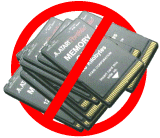
A single ZIP-Disc can hold the equivalent of hundreds of memory cards. PofoZip allows a comfortable access to a huge archive of software, maybe to all known Portfolio programs on one disc.
|
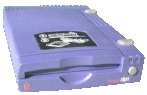
PofoZip is a block device driver that enables the use of Iomega's
portable ZIP-drive together with the Atari Portfolio palmtop.
A single ZIP-Disc can hold the equivalent of hundreds of memory cards. PofoZip allows a comfortable access to a huge archive of software, maybe to all known Portfolio programs on one disc. |
|
Version history
| Version | Release date | Changes |
|---|---|---|
| 1.00 | August 1997 | First publicly released version |
| 1.14 | Februar 1998 | Improved data transmission; No own stack memory allocation |
| 1.20 | Juli 1998 | New boot record with only 2 FATs; Support for sleeptime und eject commands |
| 1.30 | September 1998 | Manage all 3 partitionen (logical drives) with a single instance of the driver; Introduction of a FAT-cash (command line switch /$) and the option /F for avoiding unnecessary read operations when no media change is allowed |
| 1.31 | Juni 2000 | Automatic FAT mirroring (command line switch /2) |
| 1.32 | November 2001 | Minor optimization of data transmission for read operations |
| 1.33 | November 2003 | Quicker error detection, revised debug messages (command line switch /D) |
| 1.34 | Februar 2018 | Adaption of the FAT mirroring to the FAT12 file system generated by ZIPMAN-Version v1.42 and later |
Support:
You can download a free service pack which contains add-ons and updates for the utilities that come with PofoZip:
 Download service pack (25 KByte, Latest Update:
14.10.98)
. Now including English documentation.
Download service pack (25 KByte, Latest Update:
14.10.98)
. Now including English documentation.How to access partitioned disks from your desktop PC:
Iomega's driver assigns only ONE drive letter to the ZIP-drive. Therefore only the first partition can be accessed through it. Stefan Matthaeus got around this problem by replacing SCSIDRVR.SYS by ASPIDISK.SYS from Adaptec. The corresponding lines in CONFIG.SYS could look like this:
DEVICE = ASPIPPM1.SYS 049 FILE=ECR.ILM SPEED=10
DEVICE = ASPIDISK.SYS /D /R3
On reboot, three new drive letters will be created which correspond to the partitions of the ZIP-disk.
How to access partitioned disks from an Atari ST computer:
Atari users can access partitioned Zip-disks like described in the following German article edited by : ATARIZIP.TXT
Compatibility with Windows 95:
The special disk format "3xFAT12" generated by ZIPMAN up to version 1.22
used 3 FATs for each partition. Apparently, this lead to great confusion
in Windows 95 so that no data transfer was possible.
A disk formatted using ZIPMAN 1.30 (or later) should be usable both under Windows 95
and with any version of PofoZIP.
If you want to convert your disk and do not like to format every partition,
you can manually change 2 bytes in each boot sector. The data will not
be affected by this procedure. Example for drive D:
C:\>debug
-l 0 3 0 1
-e10
080A:0010 03.2
-e16
080A:0016 0C.12
-w 0 3 0 1
-q
For drive E:, the second line reads -l 0 4 0 1 and the 7th line reads -w 0 4 0 1. All other input stays the same.
Hint: Mobile power supply using NiCd-batteries
In addition to PofoZip, palmZIP has been developped as a driver for DOS-compatible palmtop-computers. Questions to .
 Go to my
Portfolio-page
Go to my
Portfolio-page Main Menu